Keycraft
An AR-powered mobile app that makes customizing mechanical keyboards easy for everyone, guiding users through every step from picking parts to assembly and repairs.
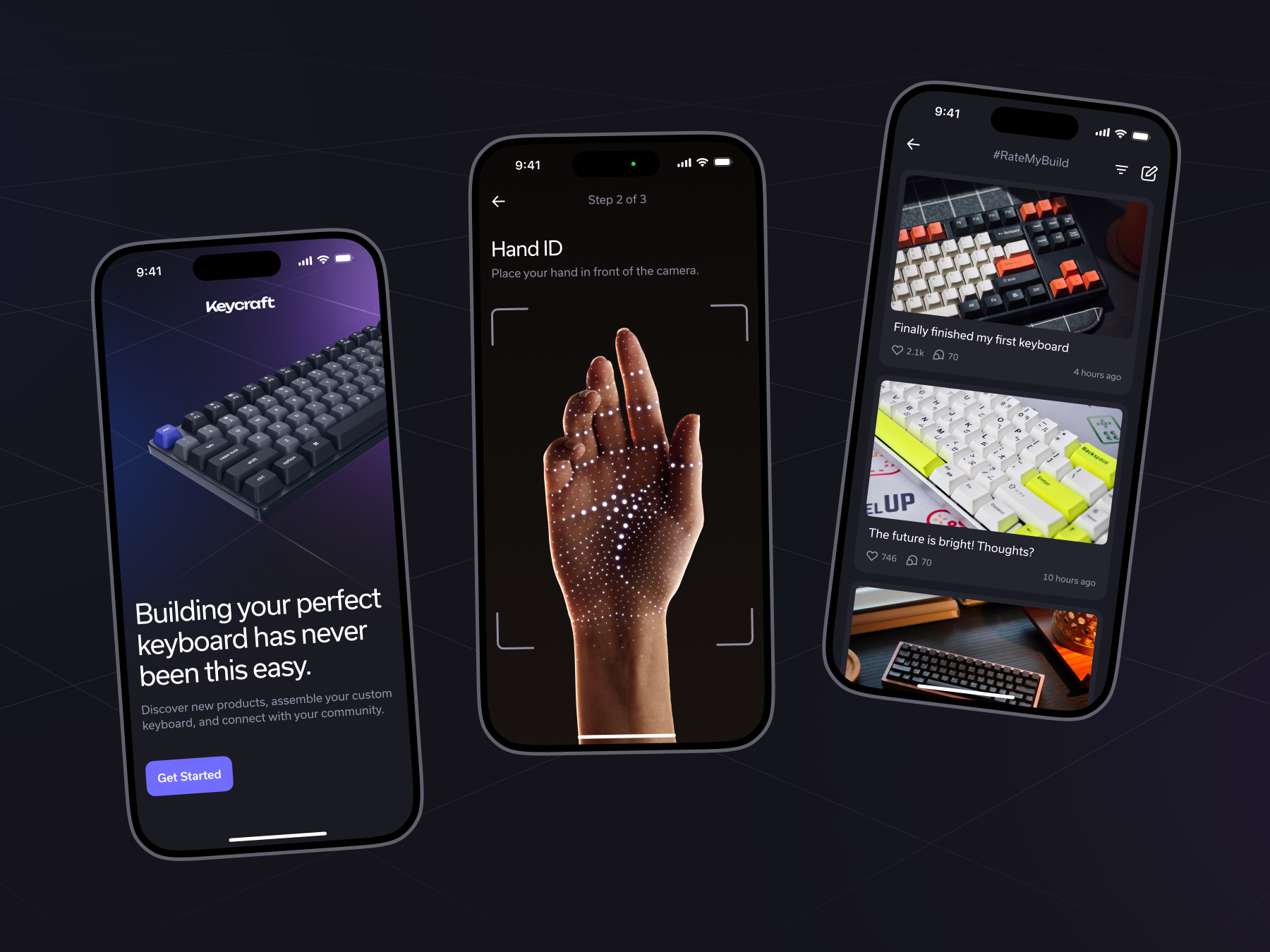
A Closer Look
A closer look at the interface and design system behind Keycraft.
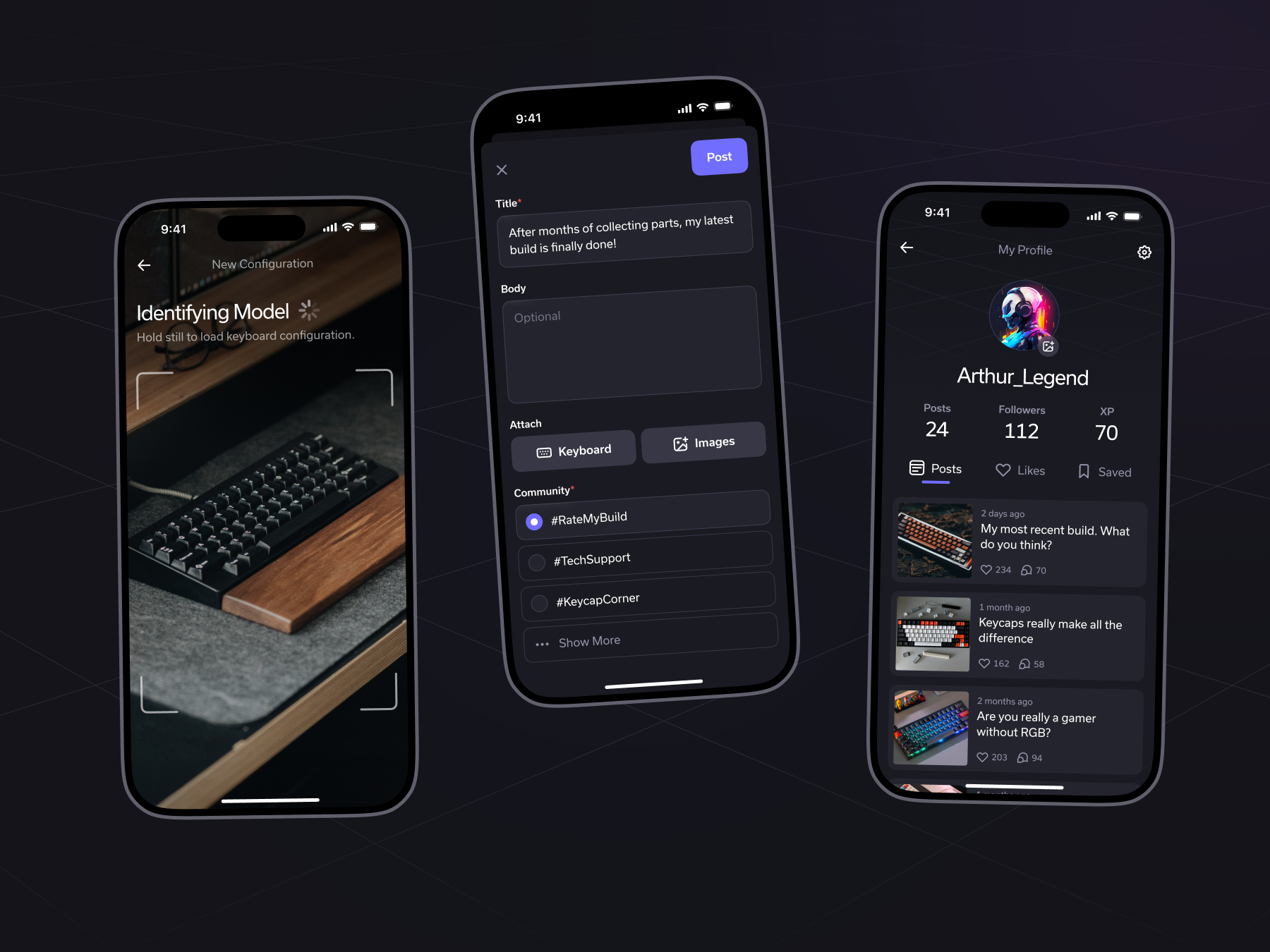
What We Made
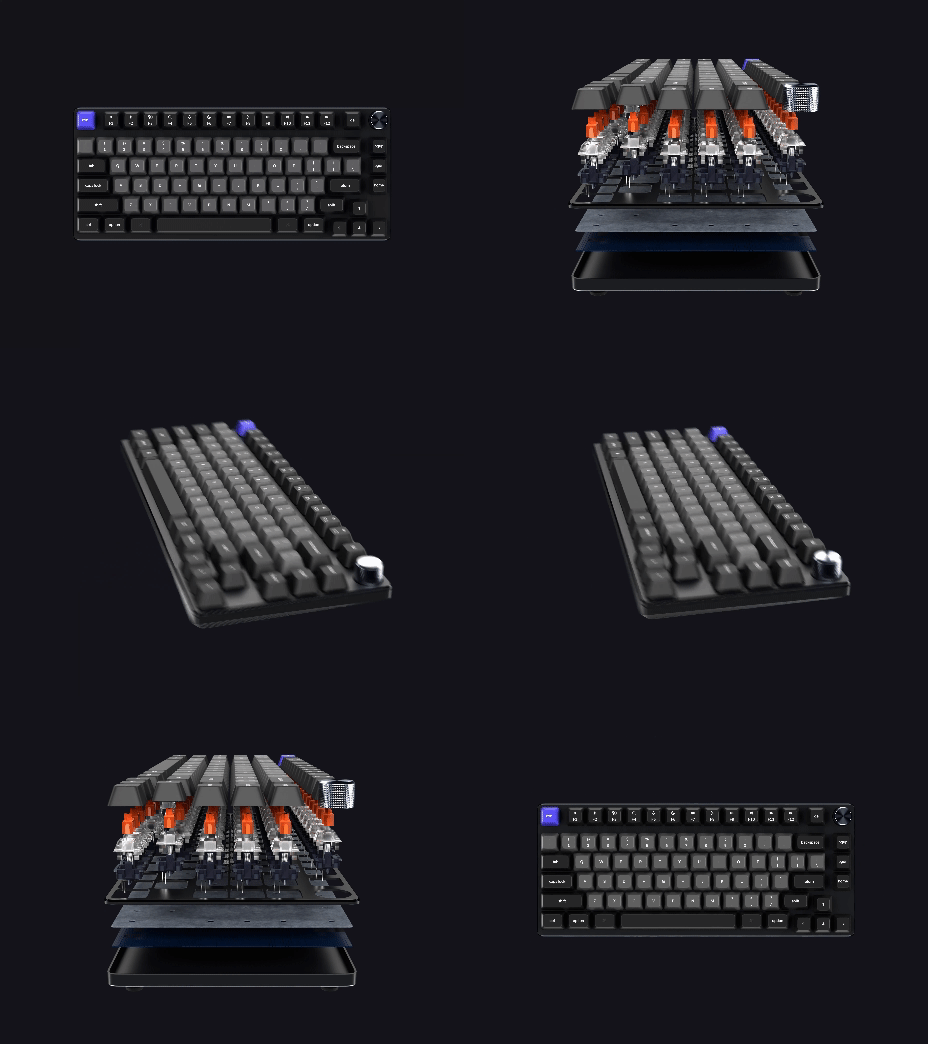
Keycraft is an AR app that makes customizing mechanical keyboards easy for everyone. It guides users through the entire process from picking parts to assembly and repairs, so anyone can build and customize their own keyboard without needing prior technical know-how.
Why This Matters
Making or fixing mechanical keyboards can be hard for beginners. Choosing and putting the right parts together requires special know-how, which can be frustrating and overwhelming. This stops many people from trying to make their own custom keyboards in the first place.
How We Approached It
User Research
We differentiated users into two categories based on experience: those who had built mechanical keyboards before and those who hadn't. We later discovered two different preferences in how users approach mechanical keyboards, those who prefer pre-built kits and those who want to build DIY. This shaped everything from onboarding to assembly flows.
User Personas
Through interviews we discovered three types of people with varying knowledge about mechanical keyboards. One group includes beginners who haven't built a keyboard before, and we designed characters to cater to them. The other groups consist of individuals experienced in building keyboards, often interested in gaming or tech. Recognizing the challenges faced by newcomers in terms of cost and complexity, our primary aim became simplifying the process and making it accessible for everyone.
User Interviews
We interviewed four people, asking questions about their experience, process assembling, and knowledge with mechanical keyboards and AR. The target demographic is adults between the ages of 18 and 24 who are tech-savvy, including gamers, people in computer or tech-related occupations, and hobbyists interested in custom keyboards.
User Flows
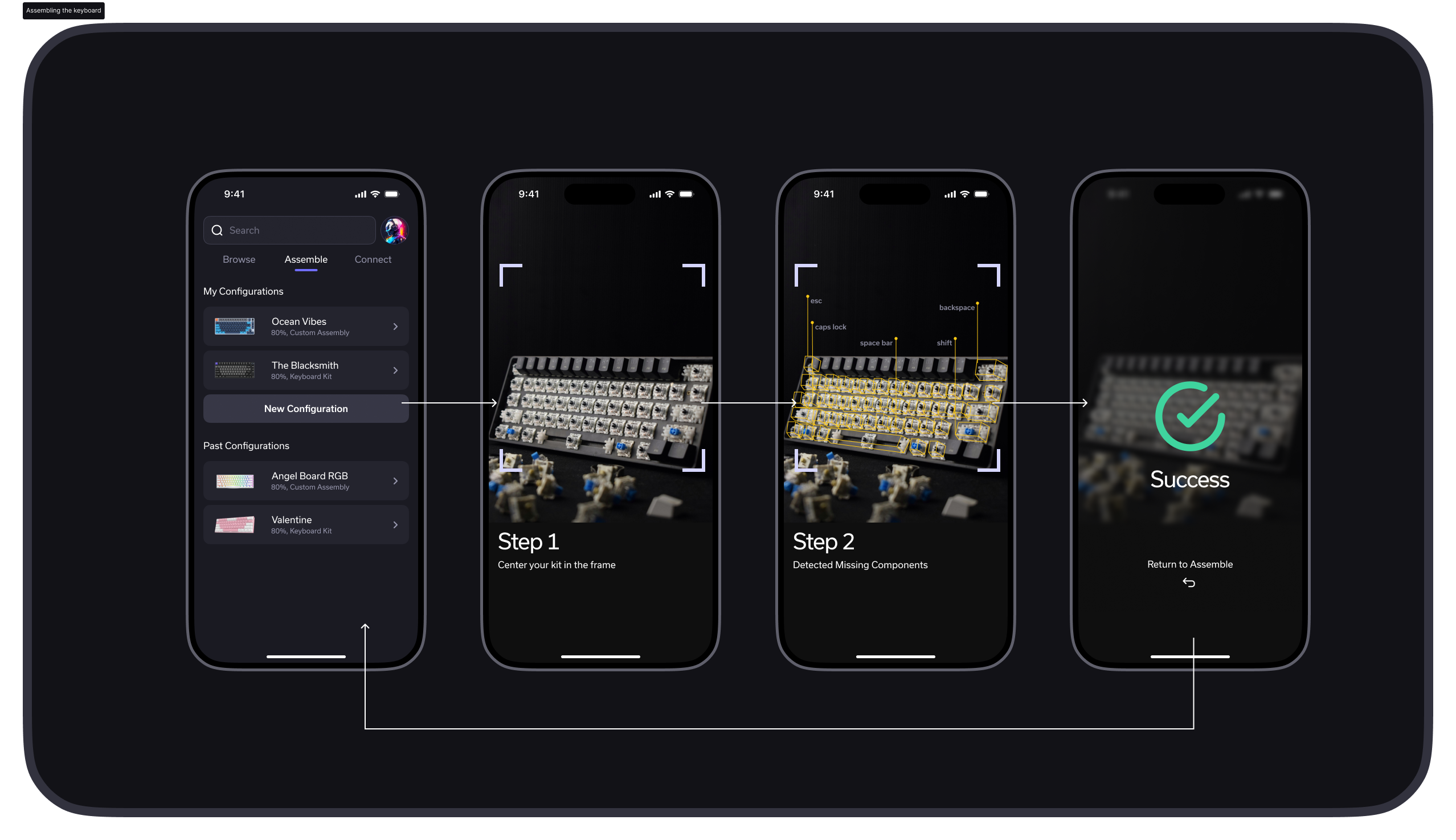
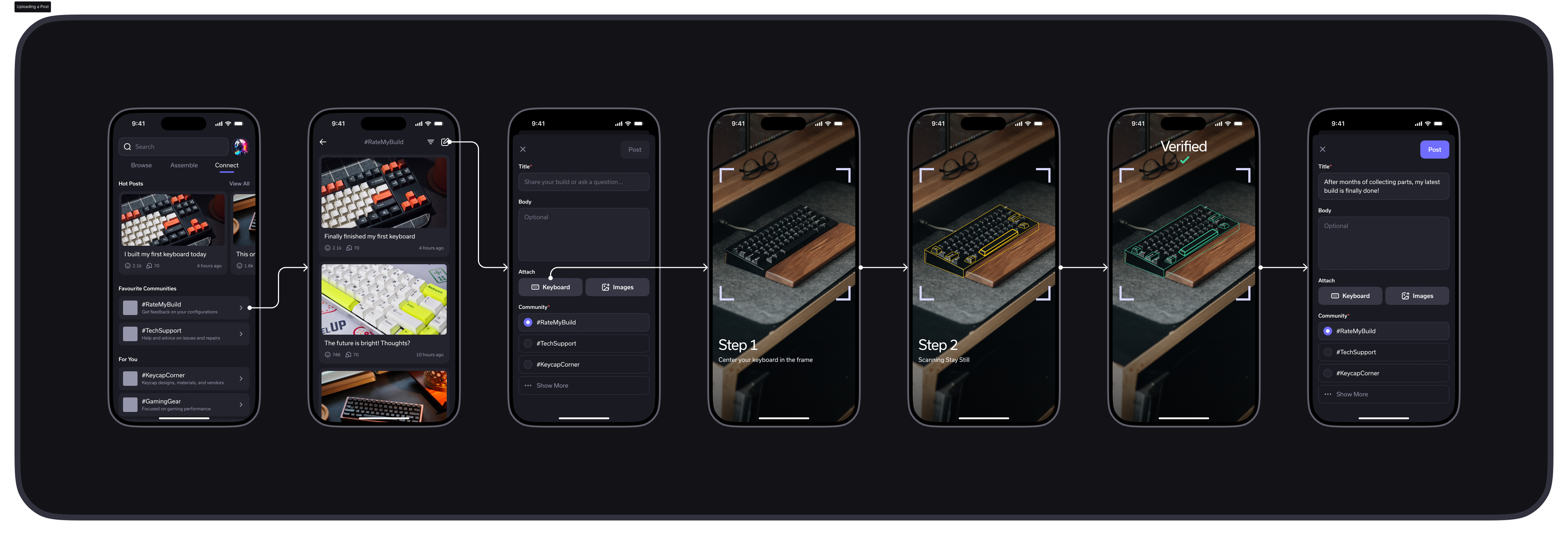
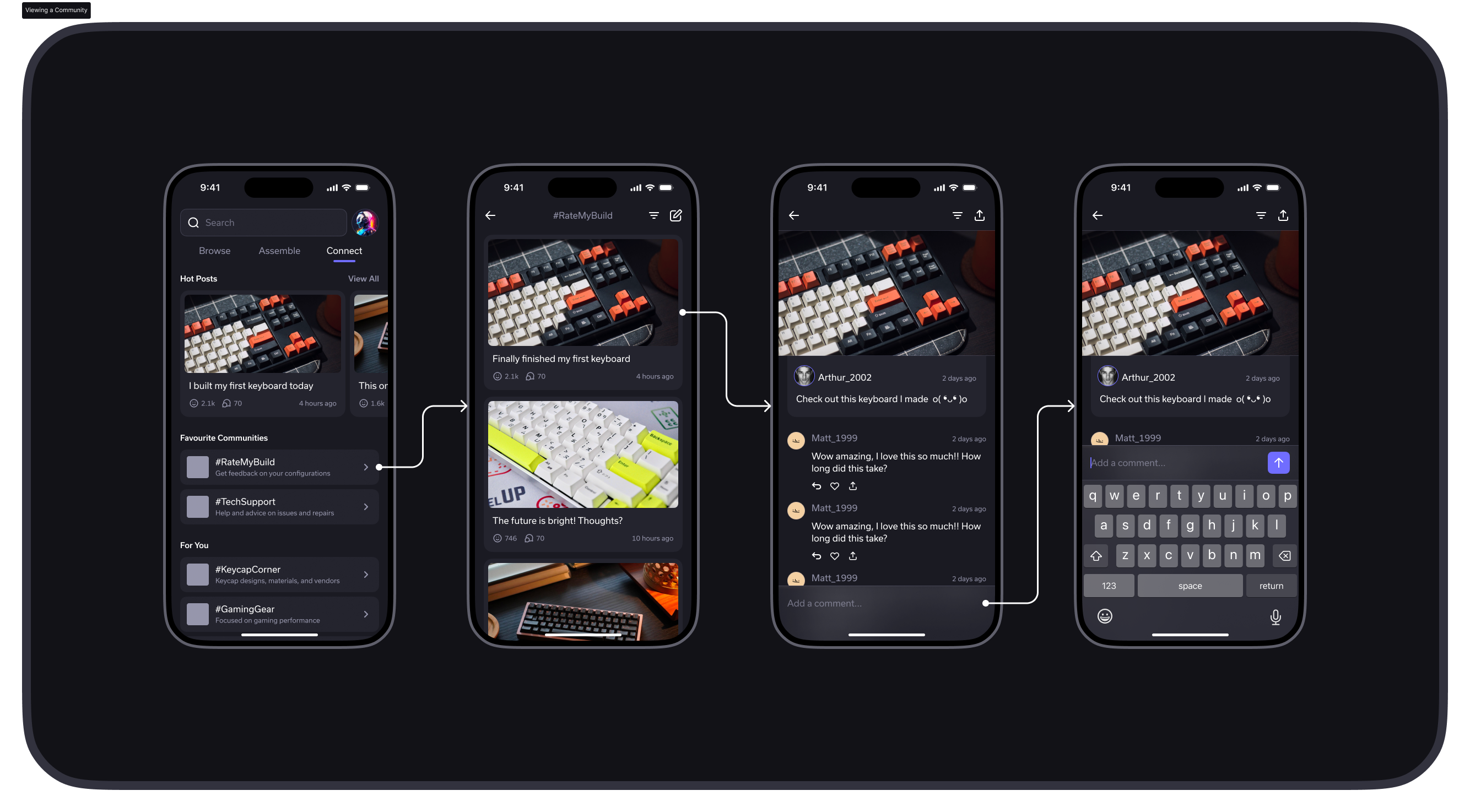
We mapped out three core user flows that define the Keycraft experience: assembling a keyboard from scratch, modifying an existing keyboard, and viewing community posts. These flows became the backbone of the app's navigation and every screen was designed to support them.
Mapping the Experience
Three core flows define how users move through Keycraft, each designed to reduce friction for beginners while staying powerful for experienced builders.
Result
Keycraft turns a technical, intimidating hobby into an approachable experience for beginners. By combining AR guidance, clear user flows, and a beginner-first design language, the app lowers the barrier to entry and gives new users the confidence to build, modify, and repair their own mechanical keyboards.